メインコンテンツへスキップ

CVO のボリュームを削除できません

Views:
25
Visibility:
Public
Votes:
0
Category:
netapp_console
Specialty:
ds_cvo
Last Updated:

環境

  • Cloud Volumes ONTAP
  • BlueXPのバックアップとリカバリ

    問題

    • BlueXP GUIを使用してボリュームを削除できません。
    • エラーメッセージは表示されません。
    • 手順
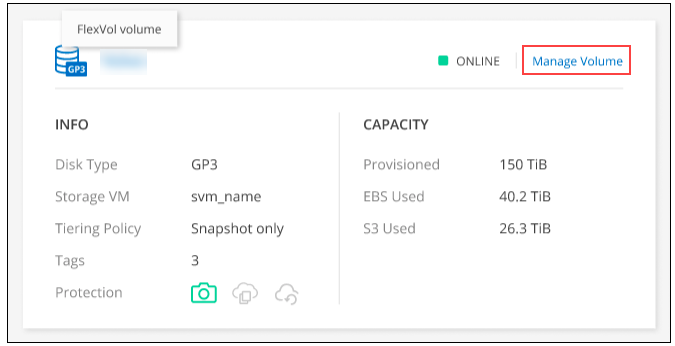
      1. 次のメニューを開きます。
        Unable to delete volume on CVO
      2. Manage volumeパネルのVolume Actionsで、Delete the volumeをクリックします。
      3. Delete Volumeウィンドウで、削除するボリュームの名前を入力します。
      4. もう一度Deleteをクリックして確認します。

    Sign in to view the entire content of this KB article.

    New to NetApp?

    Learn more about our award-winning Support

    NetApp provides no representations or warranties regarding the accuracy or reliability or serviceability of any information or recommendations provided in this publication or with respect to any results that may be obtained by the use of the information or observance of any recommendations provided herein. The information in this document is distributed AS IS and the use of this information or the implementation of any recommendations or techniques herein is a customer's responsibility and depends on the customer's ability to evaluate and integrate them into the customer's operational environment. This document and the information contained herein may be used solely in connection with the NetApp products discussed in this document.