メインコンテンツへスキップ

ONTAP Tools for VMware vSphere:OTVから無停止でクラスタを削除する方法

Views:
22
Visibility:
Public
Votes:
0
Category:
virtual-storage-console-for-vmware-vsphere
Specialty:
VIRT
Last Updated:

環境

ONTAP Tools for VMware vSphere(OTV)9.x

概要

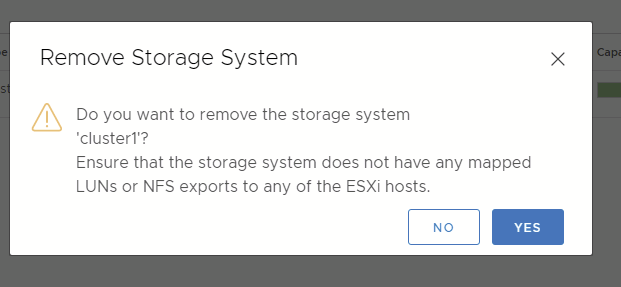
OTVからストレージ システムを削除しようとすると、次のように表示されます:
 clipboard_ec1d86320bba524ed0f0ff4e02b59d88d.png

これは、OTVを使用してデータストアがESXiホストにマウントされている場合に想定される動作です。

このプロンプトは、VMwareにマウントされたデータストアがある場合にユーザが誤ってストレージを取り外すのを防ぐためにOTVで使用される安全メカニズムの1つです。

Sign in to view the entire content of this KB article.

New to NetApp?

Learn more about our award-winning Support

NetApp provides no representations or warranties regarding the accuracy or reliability or serviceability of any information or recommendations provided in this publication or with respect to any results that may be obtained by the use of the information or observance of any recommendations provided herein. The information in this document is distributed AS IS and the use of this information or the implementation of any recommendations or techniques herein is a customer's responsibility and depends on the customer's ability to evaluate and integrate them into the customer's operational environment. This document and the information contained herein may be used solely in connection with the NetApp products discussed in this document.