メインコンテンツへスキップ

Active IQ Digital Advisorを使用してアップグレードアドバイザープランを生成する方法

Views:
538
Visibility:
Public
Votes:
2
Category:
active-iq-digital-advisor
Specialty:
om
Last Updated:

環境

概要

  • Upgrade Advisor
    • Active IQ Digital Advisor内の機能です
    • 判断するのに役立ちます
      • お使いのシステムを希望する特定のバージョンにアップグレードできる場合
      • このバージョンに到達するための正しいパス
        • 対象となるリリースによっては、複数回のアップグレードが必要になる場合があります。
        • Digital Advisorでは、複数のアップグレードが必要な場合、最初のホップのみが表示されることがあります。
      • 道中の既知のリスクまたはチェックポイント

注記: Upgrade Advisorでレポートを作成するには、AutoSupportバンドルが必要です。AutoSupportがデフォルトで有効になっていない場合は、 AutoSupportメッセージをNetAppに手動でアップロードする方法に従ってください。

手順
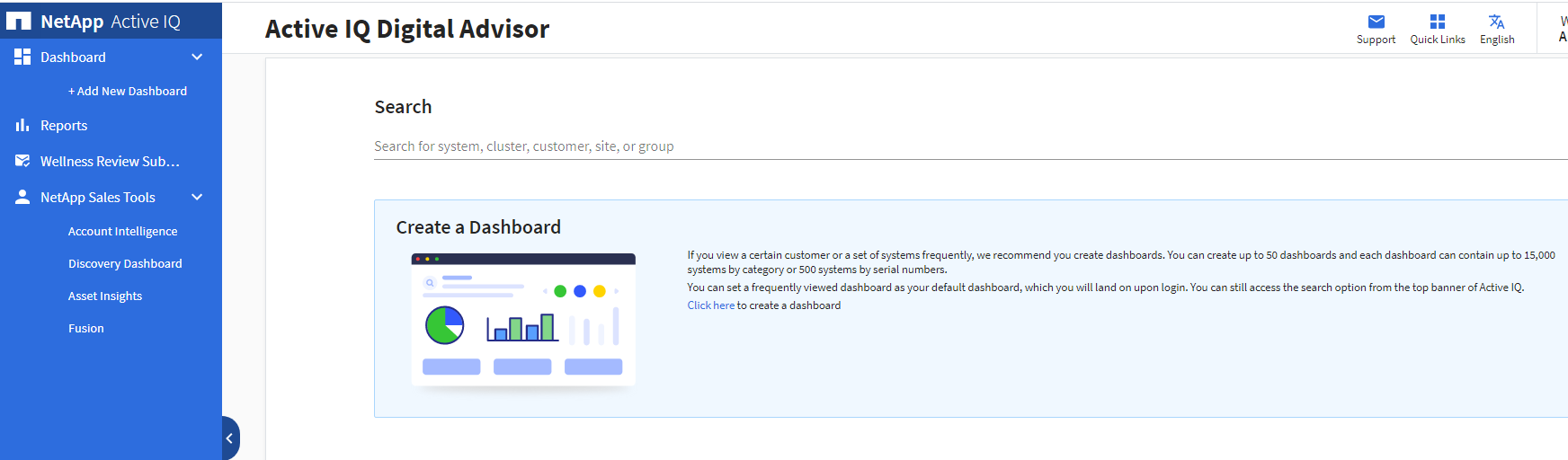
  1. リンクをクリックしてActive IQ Digital Advisorにアクセスします
 
Upgrade Advisor via Active IQ Digital Advisor
 
  1. 「検索」にコントローラのシリアル番号を入力し、Enterをクリックします。次に、シリアル番号の青いリンクをクリックします。
 
Active IQ Digital Advisor
 
  1. Upgradesボックスの「1」をクリックします。
 
How to use Upgrade Advisor via Active IQ Digital Advisor
 
  1. もう一度「1」をクリックします。
Upgrade Advisor through Active IQ Digital Advisor
 
  1. シリアル番号に応じて、最新のパッチ、推奨リリース、または特定のOSバージョンを選択できます。  それ以外の場合は、Generate Upgrade Planをクリックします(
 
  1. アップグレードプランを生成するには、以下の手順A~Eに従ってください。

Active IQ Digital Advisor


NetApp provides no representations or warranties regarding the accuracy or reliability or serviceability of any information or recommendations provided in this publication or with respect to any results that may be obtained by the use of the information or observance of any recommendations provided herein. The information in this document is distributed AS IS and the use of this information or the implementation of any recommendations or techniques herein is a customer's responsibility and depends on the customer's ability to evaluate and integrate them into the customer's operational environment. This document and the information contained herein may be used solely in connection with the NetApp products discussed in this document.